
Use these demo reports as your personal sandbox. You can explore, modify, save, and share them without logging in.
|
Preview |
Demo report |
|---|---|
|
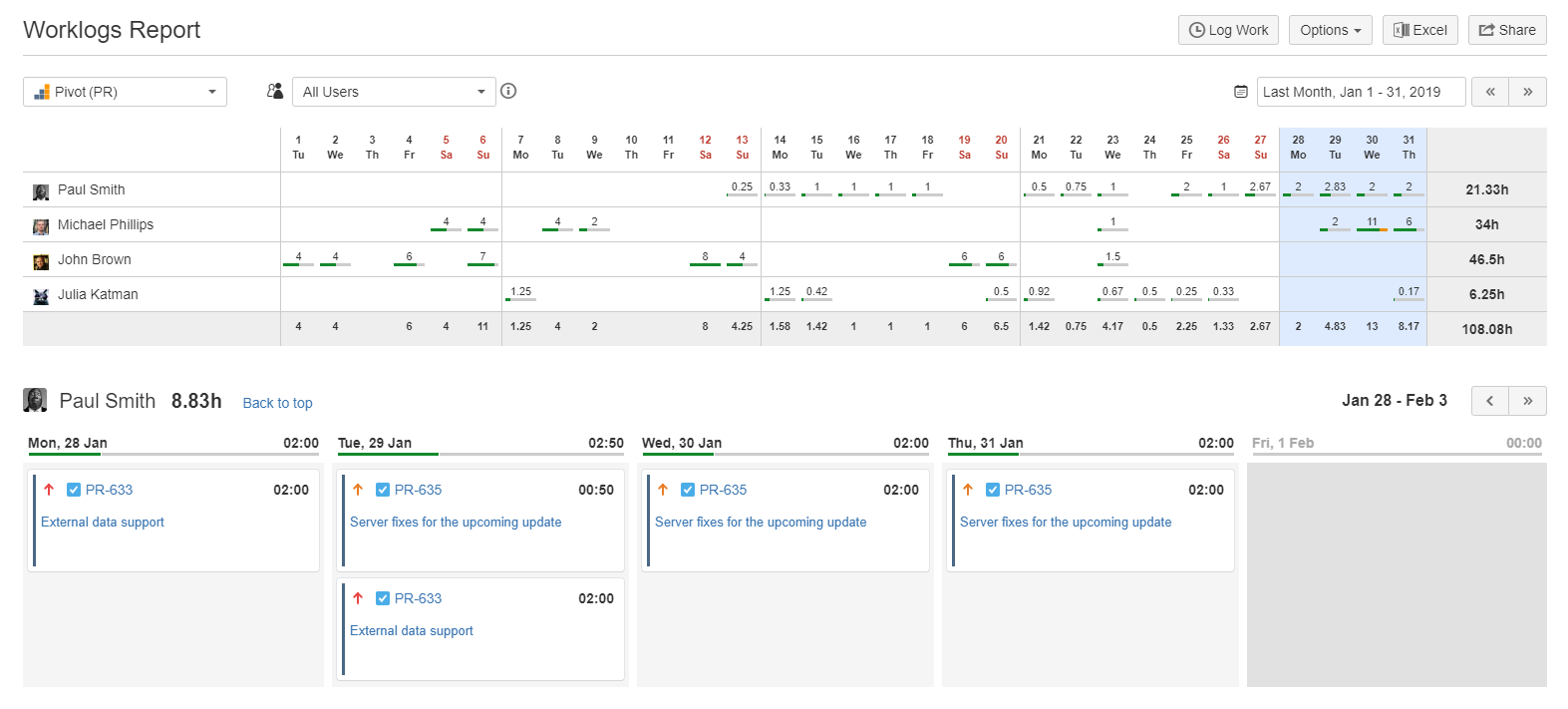
The Default report for last 30 days captures all worklogs created in the last 30 days. |
|
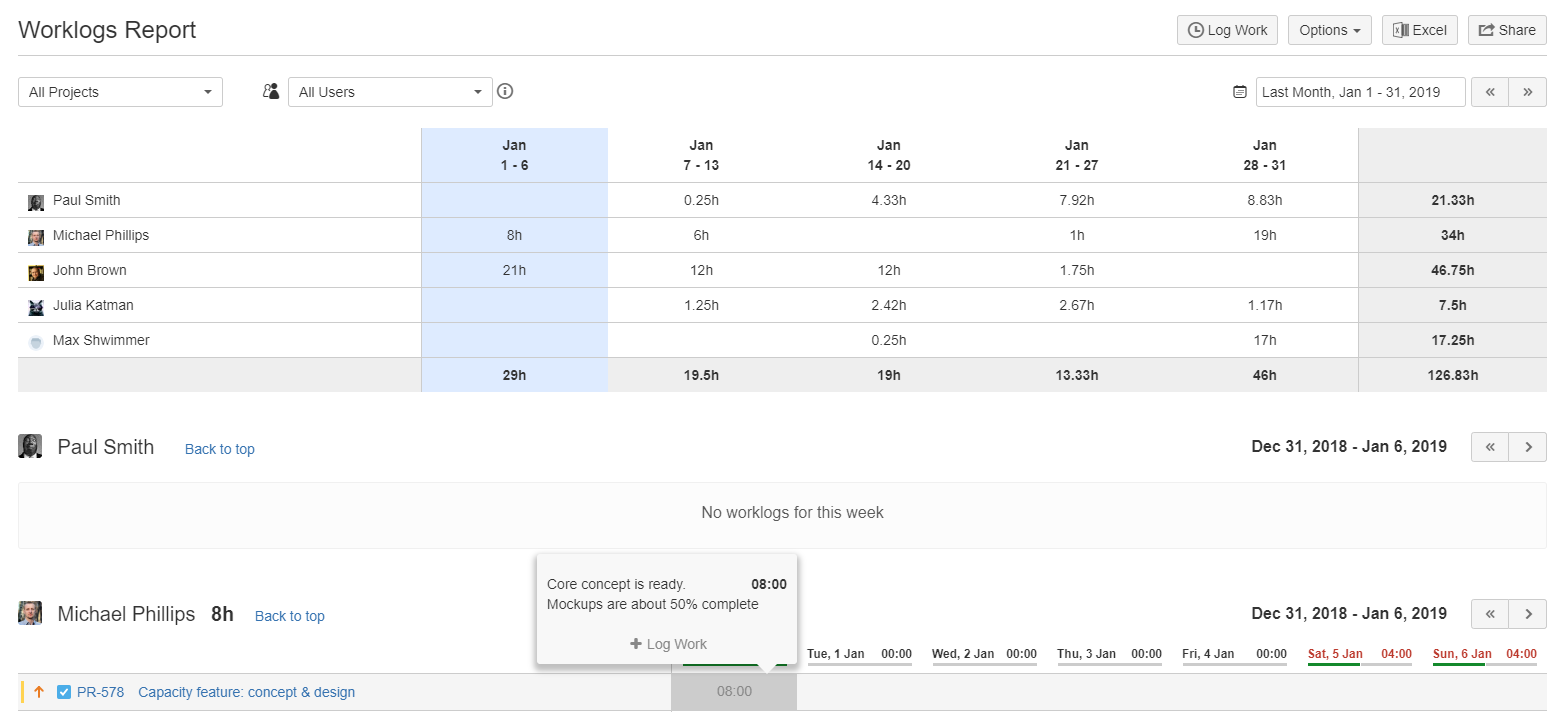
The Split by day for the last month is configured to display the previous month as a smart period, allowing you to switch between daily and weekly summary views. |
-20260701-182410.png?cb=50272cad054ad7ac8874c68c7a7991d4)
|
The Last week report captures all worklogs created in the past week. You can adjust both the time interval and the date range. |
FAQ
Can you save a report created in the demo site?
Yes. You can save a report that you create or modify in the demo site and share it with others by using its URL.
To save and share a report:
-
Click Save a copy to create a copy of one of the standard demo reports described in this article.
-20260701-145750.png?cb=2558a3ec55059314686a7a4921bef2c1)
-
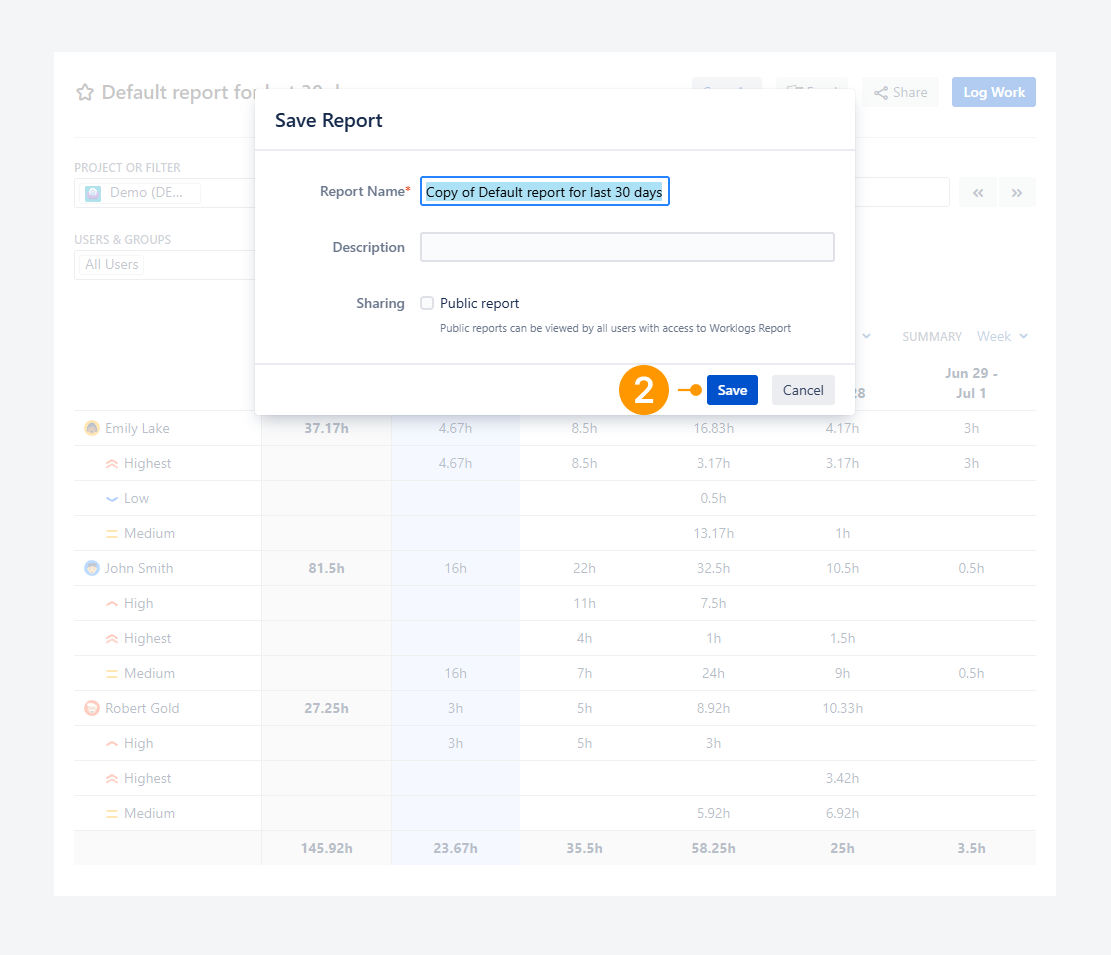
Enter a report name and click Save.
After the report is saved, any subsequent changes are saved automatically.
-
Click Share to copy or share the report's URL.
-20260701-150655.png?cb=d56abdb6ffb1285dc02b10dc4b867609)
If you have questions or need assistance, contact our support team via email or service desk. Our team is available Monday through Friday (9:00 AM to 7:00 PM GMT+7) to help with technical challenges or discuss improvements.