
Pivot Report is a paid subscription app for Jira and Jira Service Management, available on the Atlassian Marketplace. To start your free trial or subscribe to the app, click on Try it free on the Marketplace page or follow the steps below.
How can you install Pivot Report?
-
Open the Apps menu from Jira’s sidebar.
-
Click Explore more apps.
-
Next, search for Colined.
-
Select the Pivot Report app from the search results.
-20250814-224501.png?cb=473f3743585c6d767fe83276ab02d644)
-
Click on Try it free.
-20250814-225016.png?cb=d3af35fe74cc0d745c697f782db175ed)
-
Once you’re ready to order Pivot Report, please see our related article.
Can Colined help with these steps?
If you have questions or need assistance, contact our support team via email or service desk. Our team is available Monday through Friday (9:00 AM to 7:00 PM GMT+7) to help with technical challenges or discuss improvements.
FAQ
You've installed the app. Now what?
As a regular user, you can now:
-
Export reports or embed them in Confluence
Once you install the app, a Jira admin can click Manage apps in the pop-up shown in the screenshot to access the app settings, which are described in a separate article.
-20260228-023652.png?cb=c679ac4530839ad90e7db6cc6b9c6baa)
For step-by-step instructions, refer to the user guide.
Troubleshooting
How can you resolve the “Something went wrong” error while loading Pivot Report?
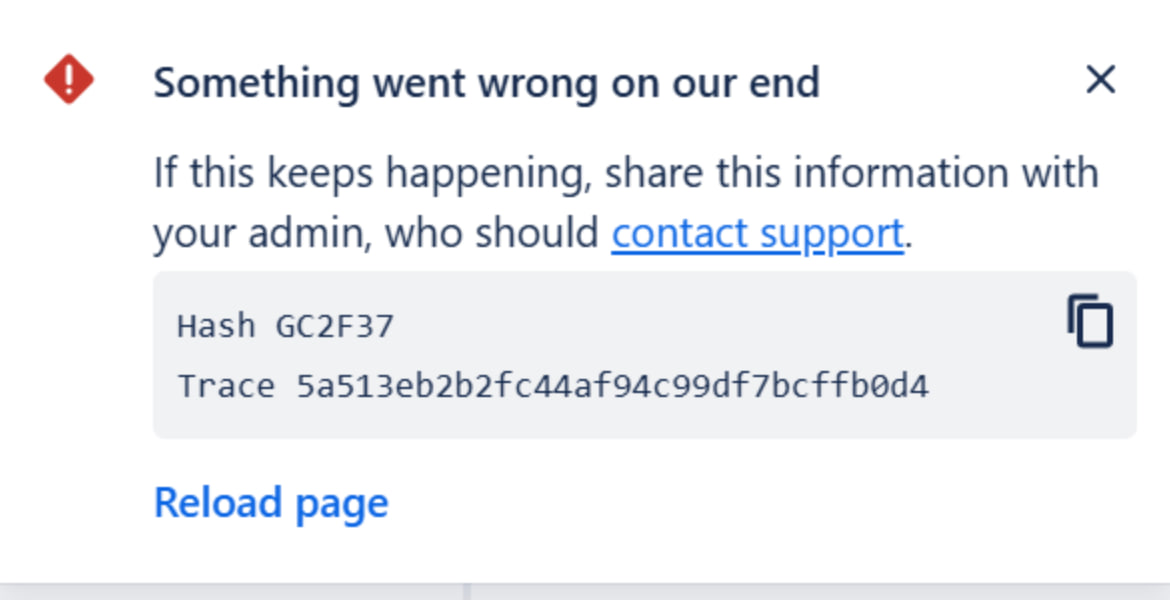
This error may appear when the app loads slowly and then fails. Common causes include:
-
Expired access token – Reload the page to see if the error no longer appears.
-
Firewall restrictions – Your firewall may be blocking the atlassian.net domain. Although .net is a common top-level domain, some customers have recently needed to explicitly allow it.