
This article explains how to check if your access to Worklogs Report has been lost due to an expired license and how to renew it.
-20251008-214434.png?cb=d5c285da6b267448ba09deb2a8700a34)
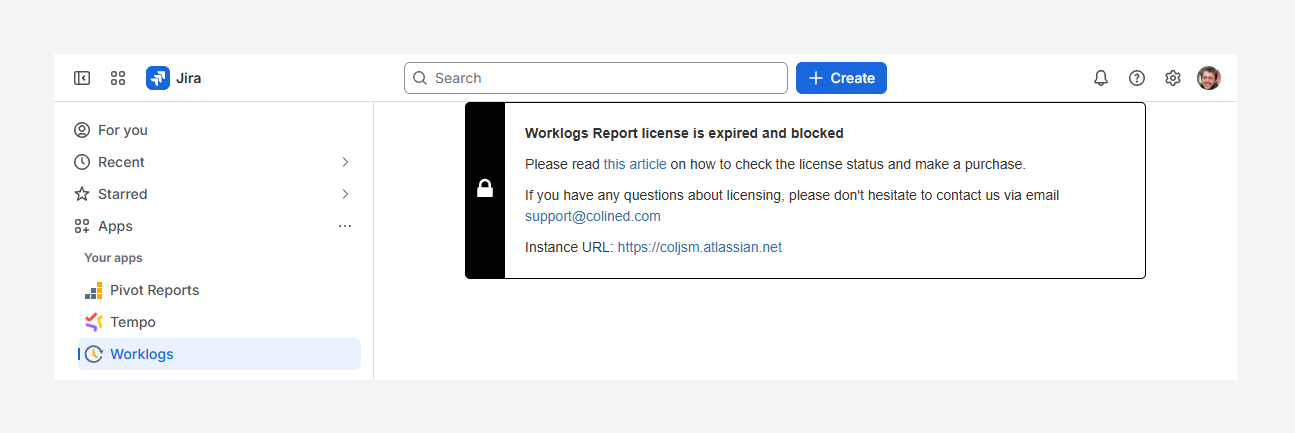
If you’ve failed to make payment towards your Commerce license or if your Evaluation license expired, access to Worklogs Report will be automatically blocked and this error message will appear within the app.
How can you renew your license?
An Evaluation license expires 30 days after installation, or sooner if the extension token is not renewed. A Commercial license expires if your monthly or annual subscription is not renewed.
When your license expires, you have a 14-day grace period to pay for Atlassian Marketplace Apps. During this time, you can also update your billing details or, for an Evaluation license, request a new extension token from Colined.
What happens to your data?
Your data remains safe and will not be deleted. If you do not pay within 14 days, you can still make the payment or contact us at support@colined.com to request an extension.
Note: Atlassian may take up to 24 hours to update license and transaction data. In rare cases, Marketplace incidents can cause delays of several days. If this happens, email us with your case details and we will assist you.
If you have questions or need assistance, contact our support team via email or service desk. Our team is available Monday through Friday (9:00 AM to 7:00 PM GMT+7) to help with technical challenges or discuss improvements.