
This article explains how to confirm if you have lost access to a report or and how to restore it.
Can you lose access to a report?
Yes. You can lose access to a report, as shown in the screenshot below.
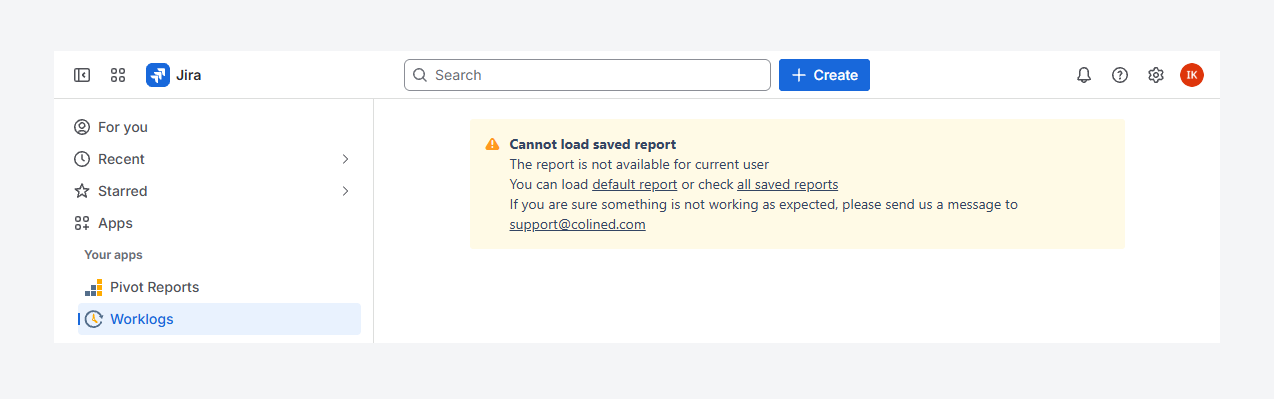
The error message appears when you try to open the URL of a report you no longer have permission to view, even if you previously had access.
If another message appears, verify whether you have access to the report source, by following the steps mentioned in a related article. Similarly, if a blank page appear instead of a message, verify if you have access to the app.
How can you verify your access to a report?
By default, after Worklogs Report is installed, users can access their own reports, Public reports, reports where they are assigned as admins, and reports where they are listed as authorized users. Follow these steps to verify if you’ve lost access to either of these reports.
Personal reports
-
From Jira’s sidebar, open the Apps list and select Worklogs Reports.
-
On the Manage Worklogs Reports page, choose My Reports. This filter displays all reports that you own.
-
Select All Reports.
-
If the report still does not appear in any of these filters, contact a Jira admin. The report’s ownership may have been transferred to another user. A related article outlines how ownership can be reassigned.
Admin and limited reports
Follow these steps for a report where you were listed as an admin or an authorized user (or member of an authorized user group):
-
From Jira’s sidebar, open the Apps list and select Worklogs.
-
On the Manage Pivot Reports page, choose All Reports.
-
If the report still does not show in any of these lists, contact the report owner, another report admin, or a Jira admin for assistance. Your access may have been removed by the report owner or another admin.
If you have questions or need assistance, contact our support team via email or service desk. Our team is available Monday through Friday (9:00 AM to 7:00 PM GMT+7) to help with technical challenges or discuss improvements.