
Trial
How long is the trial and can you interrupt it?
On a Jira Data Center license, you can evaluate Pivot Report free for 30 days.
Can you extend the trial with Colined’s help?
Yes. If you’d like to extend your trial, please email us or submit a request to our support team with your site URL, and we’ll be happy to assist.
Colined also provides a 90-day grace period after your trial ends. During this time, you can continue using the app. After the grace period, the license must be paid, or it will be cancelled.
What steps can you take once you've completed the evaluation?
After completing the evaluation of Pivot Report, you can either:
1. Purchase the app by following the steps on our related article.
2. Uninstall the app manually from the ‘Manage apps page’ if you decide not to continue using it.
What data is retained once you uninstall the app?
Once you uninstall the app, Colined retains app data for 30 days. This includes several types of data, such as information used for troubleshooting. During this period, you can choose to reactivate the app without any data loss.
For more details, including the types of data retained, see the related article on Cloud Security and Privacy Policy.
Licensing
Can you use the app on a Free plan?
No. There is no Free subscription plan for apps and core products on Data Center.
How can you verify your app’s license status and expiration?
To verify the app license status in your Cloud instance:
-
In Jira's top navigation bar, click the Settings gear icon.
-
Select Billing.
-20260922-032146.png?cb=b77440deeae1e08836ee1d4caa9317d4)
-
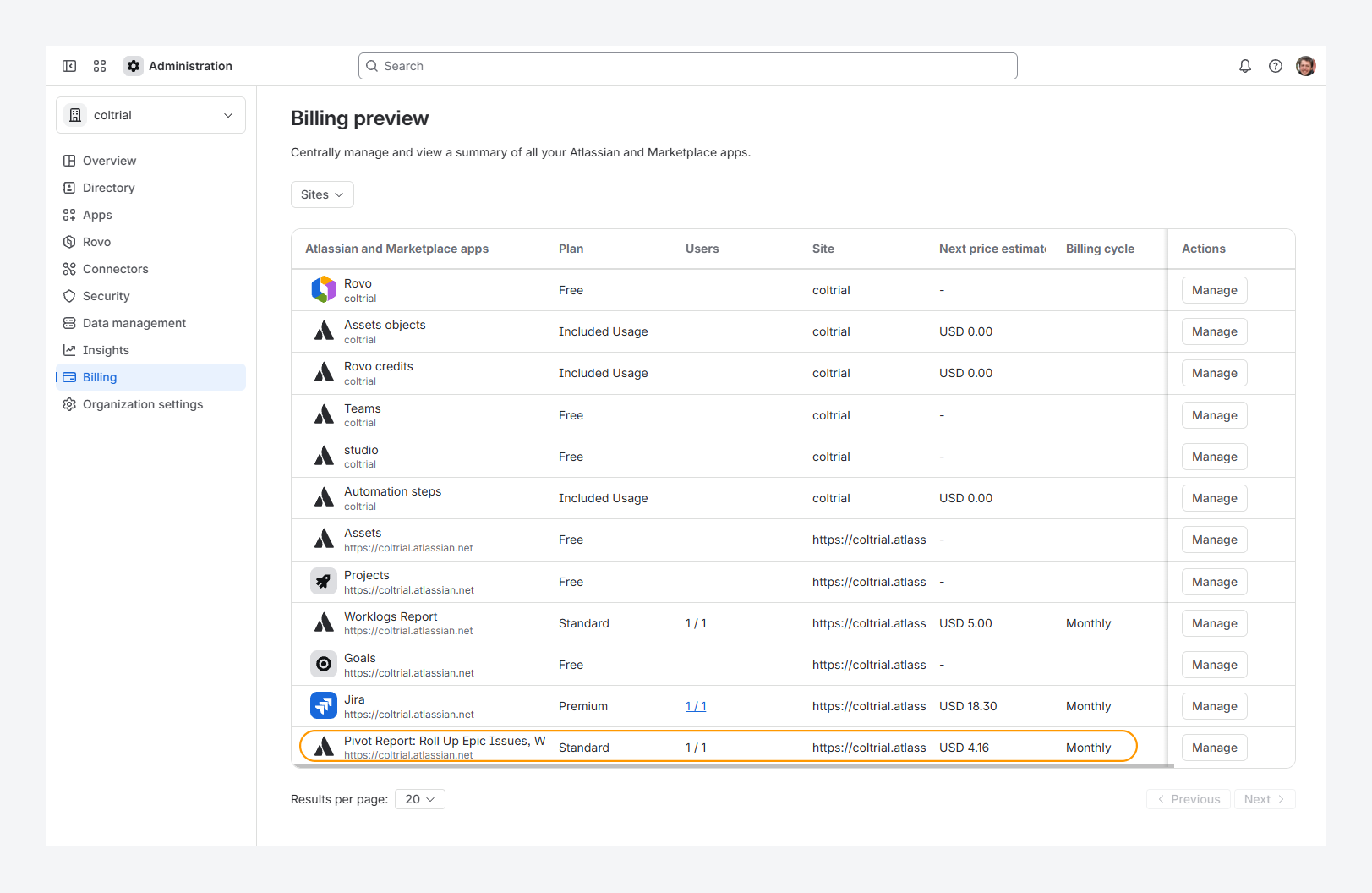
Check the Pivot Report row on the Billing preview page: if the row is greyed out and does not show billing details, the app license has expired.
The screenshots below show both an active and inactive Pivot Report license, with pricing as of September 2026.
-20260922-042400.png?cb=58f009affdf5c36d6447db2544f0b615)
What happens if you stop a trial version or unsubscribe?
If you stop a trial version or unsubscribe from Pivot Report within the Manage apps page, Colined will deactivate its functionality. This renders the app unusable within 24 hours or less.
Do you need an app license for each environment?
Yes. Marketplace apps are licensed per environment.
Where can you find more information concerning purchasing and renewing a license?
For additional information, please consult Atlassian’s documentation.
Which Server, Data Center, and Cloud versions are supported for the app?
Jira Server
As of February 15, 2024, Atlassian Marketplace no longer provides assistance with purchasing, renewing, upgrading, or promotion creation for any server apps for Jira, Confluence, Bitbucket, Bamboo, and Crowd.
Existing customers using Jira Software 9.13 or earlier will continue to receive Pivot Report app updates – although support is limited to helping you with any migration questions. New installations on Jira Server are not possible, as the app requires a valid license to install.
Jira Data Center
As of the latest release, you are eligible for support and version updates for Pivot Report for Data Center version 8.0.0 and above, as long as your subscription is active.
Jira Cloud
You are eligible for support and automatic version updates as long as your subscription is active.
Where can you enter Colined’s access token?
Access tokens are available only for Marketplace cloud apps.
To enter an access token, follow these steps:
-
Go to admin.atlassian.com and select the organization (Jira Cloud instance) where Pivot Report is installed.
-
Open Apps > Sites, then click on the Jira Cloud instance.
-20260922-034601.png?cb=abe03d15330263350a9c4a8a394bf3bc)
-
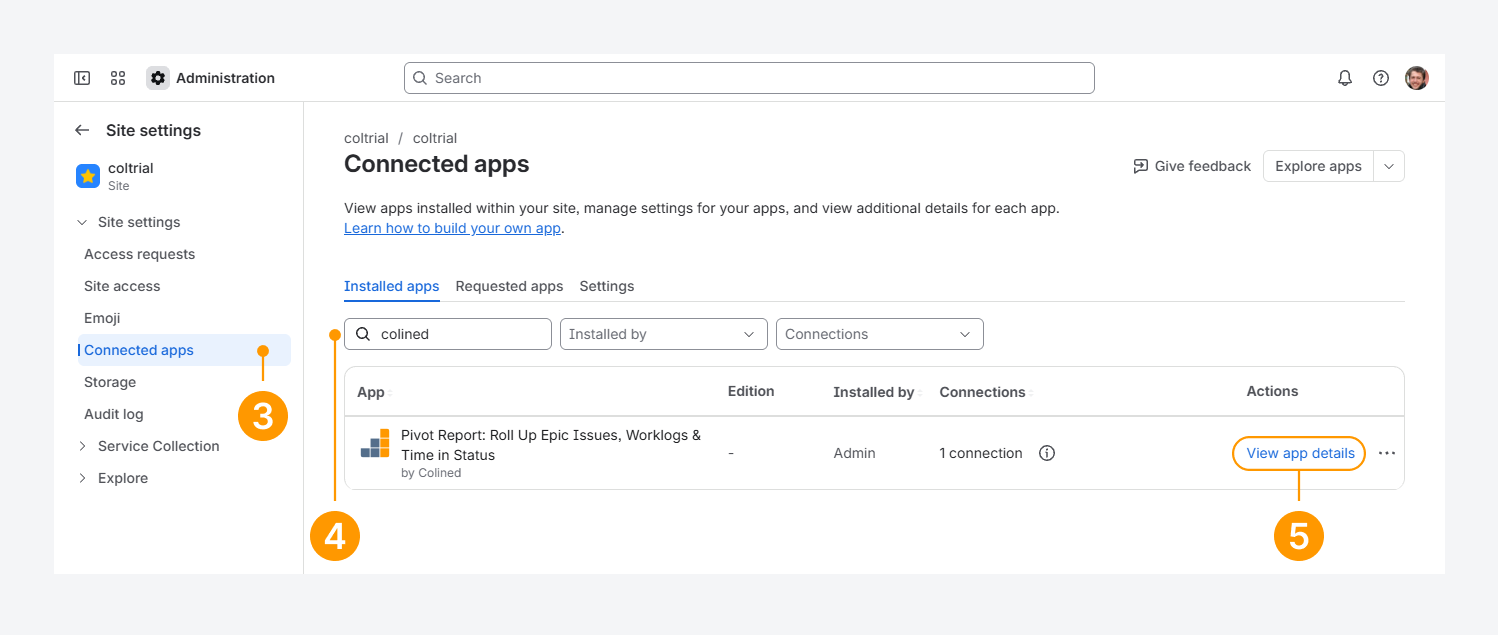
Click Connected apps.
-
Enter Colined in the search box.
-
Click View app details for Pivot Report.
-
Open the App settings tab.
-
Click Set access token.
-20251008-221813.png?cb=5da95b78c1875cfd6584e786aae8ee12)
-
Enter the Access token and set the Access token status provided by Colined.
-20251008-221935.png?cb=e3909b7ce9a3d1083638e89579af9e8c)
How can you enter Colined’s promo code?
To enter a promo code, follow these steps:
-
In Jira's top navigation bar, click the Settings gear icon.
-
Select Billing.
-
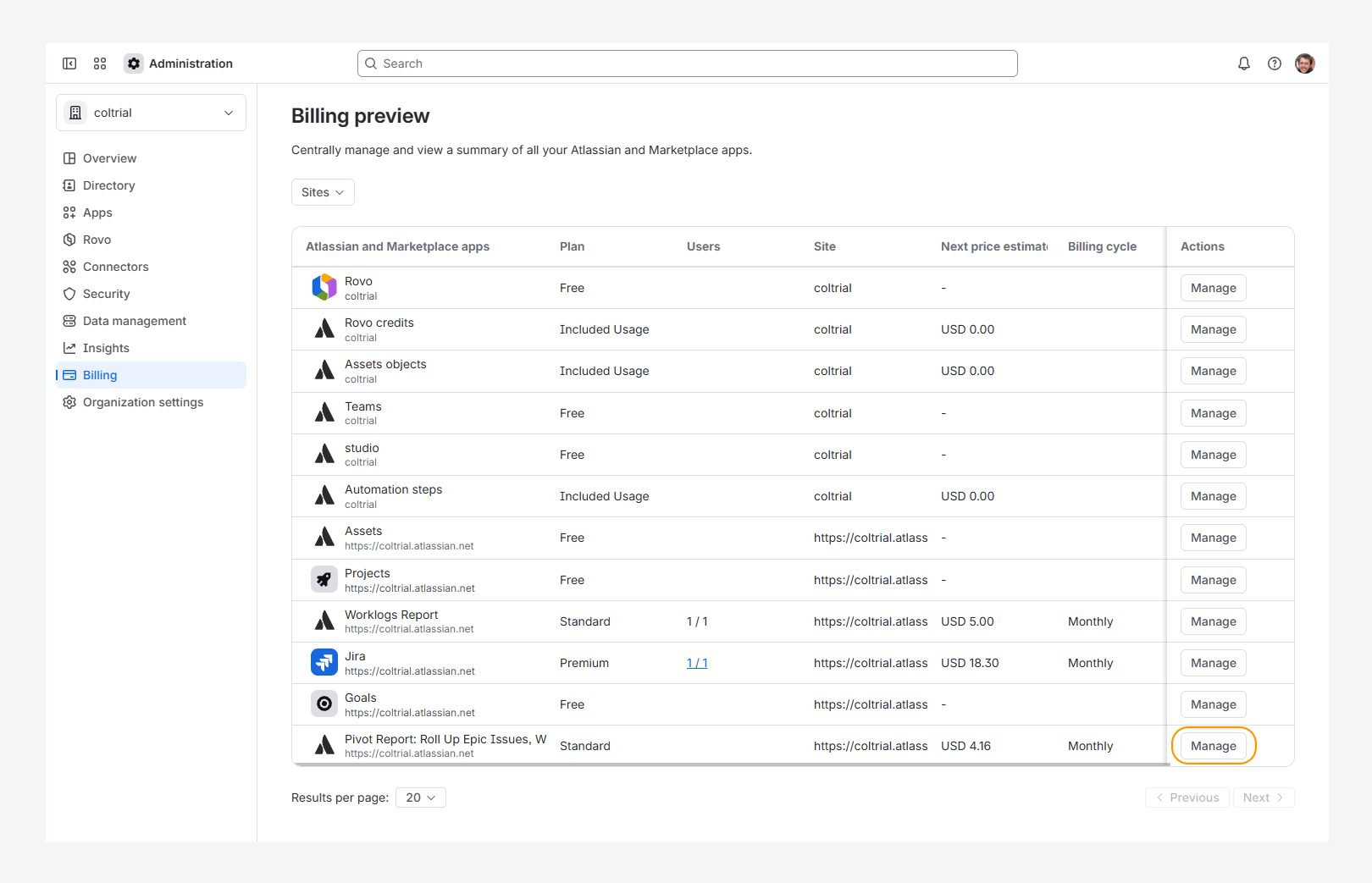
On the Billing preview page, find the Pivot Report row and click Manage.
The screenshot below shows an active Pivot Report license, with pricing as of September 2026.
-
On the Subscription page, click the ••• actions menu and select Enter promo code.
-20260922-034221.png?cb=b675f9254660cbe3f2ee12f047d66bdd)
-
Enter the code and click Validate.
Pricing
How often does Colined revise its app pricing?
Since 2017, Colined has maintained consistent per-tier and per-user pricing on the Atlassian Marketplace and plans to continue this model for all subscription types.
Can Colined offer you a discount for Pivot Report?
Yes, it’s possible to get a reasonable discount. Please contact us to discuss it.
Can you add an app to your sandbox for free?
Yes. You can add Pivot Report to your sandbox for free if you are on a Premium or Enterprise plan. Follow the steps in the related article to set it up.
If your Pivot Report license for sandbox is blocked, we can help you unblock it.
If you have questions or need assistance, contact our support team via email or service desk. Our team is available Monday through Friday (9:00 AM to 7:00 PM GMT+7) to help with technical challenges or discuss improvements.