
This article explains list the most common questions about accessing and editing reports, along with a table of restrictions that may affect which content is visible in your report.
How can you find and change a report?
Finding an existing report
Saving a report
Changing a report’s source
Changing permissions and ownership
-
How do you set permissions for users and user groups for the app?
-
Can you lose access to using the app while being a report owner or administrator?
What additional restrictions can affect a report’s content?
After accessing a report using one of the methods above, review the following types of restrictions if any content appears hidden or differs based on your user permissions.
Jira and App permissions
Pivot Report adheres to all Jira permissions and cannot override them, including permissions from third-party apps such as Timesheets by Tempo.
Ensure that you have the required permissions in both Jira and Tempo.
Report modifications
Multiple report admins can edit a report simultaneously. If another admin or the report owner saves changes while you're editing, your unsaved work may be lost.
To prevent this loss, coordinate with other users to avoid editing the report at the same time.
Issue and filter permissions
If a user tries to open a report that includes issues from a project they don’t have access to, an error message will appear, as shown below.
Verify that you can access the relevant issues, filters, boards, and project when working with a report that references them.
The steps for verifying your access to an issue or a filter using the Issue Navigator are explained in a related article.
Can you lose access to a report source?
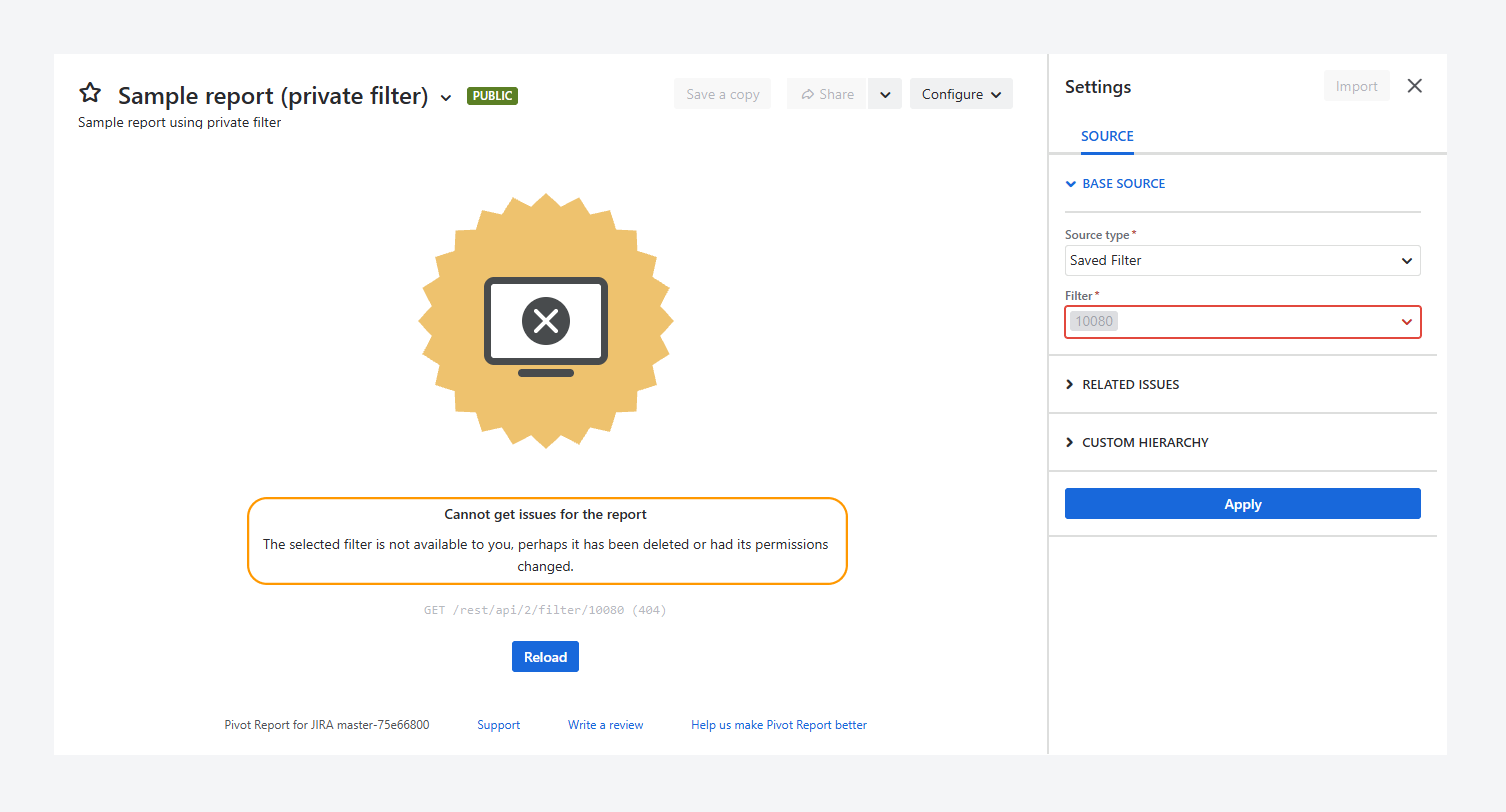
Yes. You can lose access to a report source, as shown in the screenshot above.
The error message appears when you try to open the URL of a report whose source you no longer have access to, even if you previously had access.
This error is described further in a related article.Can you restrict access to Public reports for specific projects?
No, Public reports cannot be restricted on a project basis.
However, user permissions in Jira can be limited for a project, and this may affect access to reports that use that project as a source.
If you open a Public report from the Manage Pivot Reports page and the report is linked to a source you are not allowed to access, the report will display an error message.
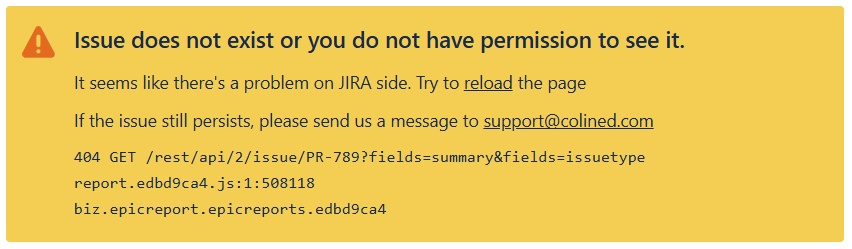
If you think you may not have access to a Public report, see the related article for guidance.
If you have questions or need assistance, contact our support team via email or service desk. Our team is available Monday through Friday (9:00 AM to 7:00 PM GMT+7) to help with technical challenges or discuss improvements.