
This article provides a step-by-step guide on how to create HAR files, which helps Colined support for debugging unusual events within a report or gadget.
What is a HAR file?
A HAR (HTTP Archive) file is a format used to capture and store information about the interactions between a web browser and a web server. It records detailed data about network requests and responses, including URLs, headers, cookies, timings, and more.
This file is commonly used for web performance analysis, debugging, and troubleshooting.
-
When troubleshooting web-related errors, a HAR file can be invaluable in identifying problems such as slow page load times, network errors, or incorrect server responses.
-
By analyzing the contents of a HAR file, developers and support teams can gain insights into the sequence of network requests, identify bottlenecks, and pinpoint potential errors that may be affecting the performance or functionality of a web application.
Overall, HAR files serve as a valuable tool for diagnosing and resolving web-related errors by providing a detailed log of network activity and enabling effective collaboration between developers and support teams.
Can you share a HAR file safely with Colined?
Absolutely, it is safe to share a HAR file with Colined.
We want to assure you that any data you share with our support team is treated with the utmost care and confidentiality. Our commitment is to use the provided data solely for the purpose of debugging and resolving the specific error at hand.
Rest assured that we have strict measures in place to ensure that your data remains secure and protected. Your trust is of paramount importance to us, and we take every precaution to honor it.
Integrated HAR-cleaner
As a preventative measure, Atlassian recommends the use of an integrated HAR-cleaner.
Sanitized HAR file
In 2024, Google Chrome added an option to download sanitized HAR file, where sensitive information like passwords, API keys, cookies, and other personal details have been removed or redacted, making it safe to share for debugging purposes without exposing private data.
How can you generate a HAR file?
You can generate a HAR file using various methods, including browser developer tools.
-
Once created, the HAR file can be shared with developers or support personnel who can open it in a compatible tool or viewer to analyze the captured data.
-
The file provides a comprehensive record of the network traffic during a specific browsing session, allowing for a deeper understanding of the interactions between the browser and the server.
Steps for Google Chrome
The examples below show how to export a sanitized HAR file in Google Chrome, the recommended browser for Atlassian Jira and Pivot Report.
-
Use Keyboard Shortcut (
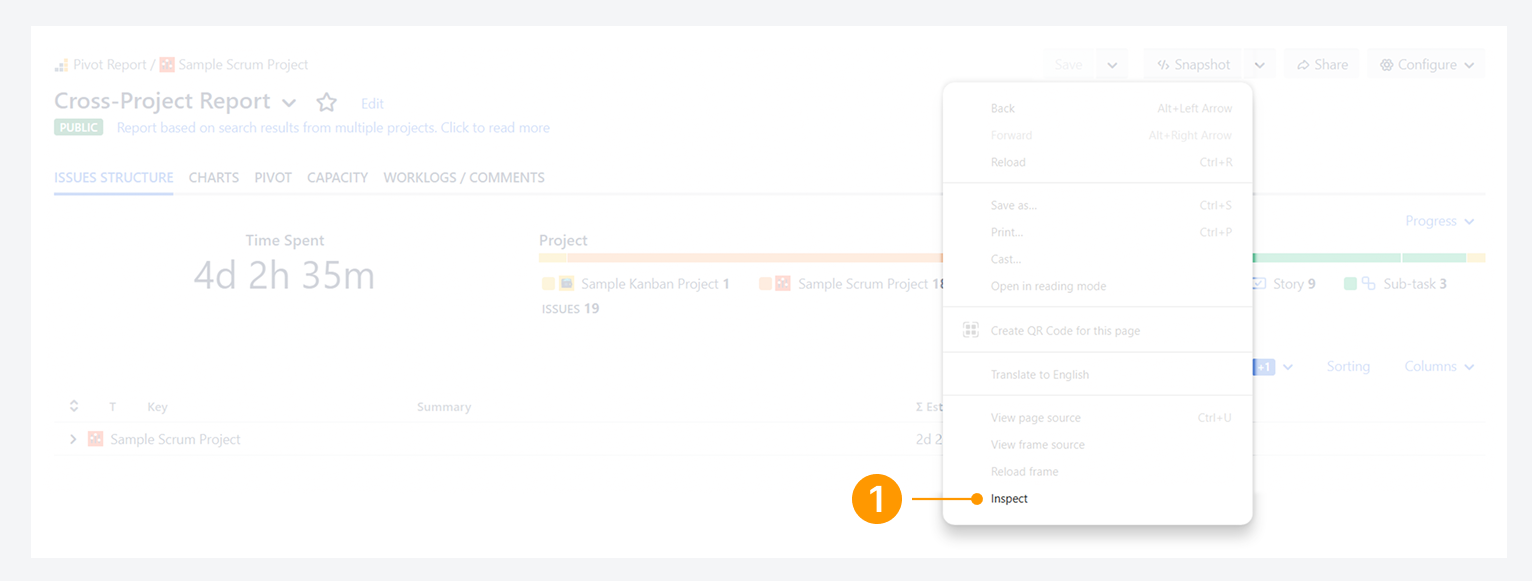
⌘⌥Ion OS X,F12on Windows, andCtrl + Shift + ion Linux). Alternatively, right-click anywhere on the page and select Inspect or Inspect Element from the context menu, as shown in the provided example. This will open the browser's developer tools.
-
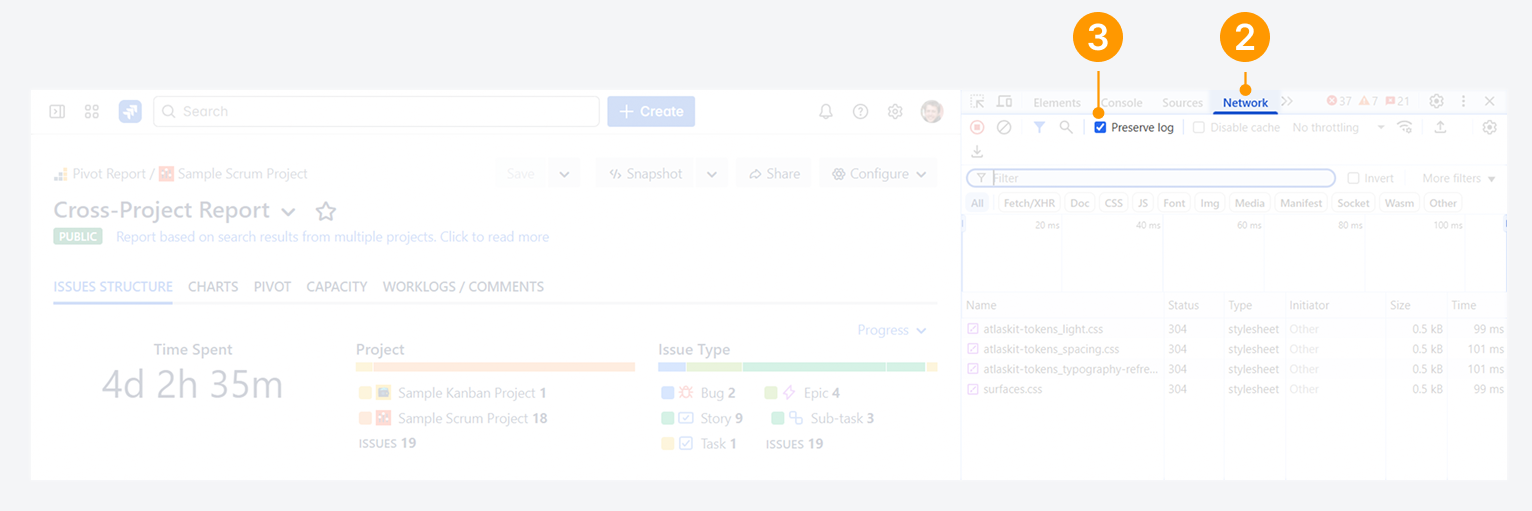
In the Development Tools panel, go to the Network tab.
-
Check Preserve log (or Keep Log), as shown. This will ensure that all network requests are captured.
-
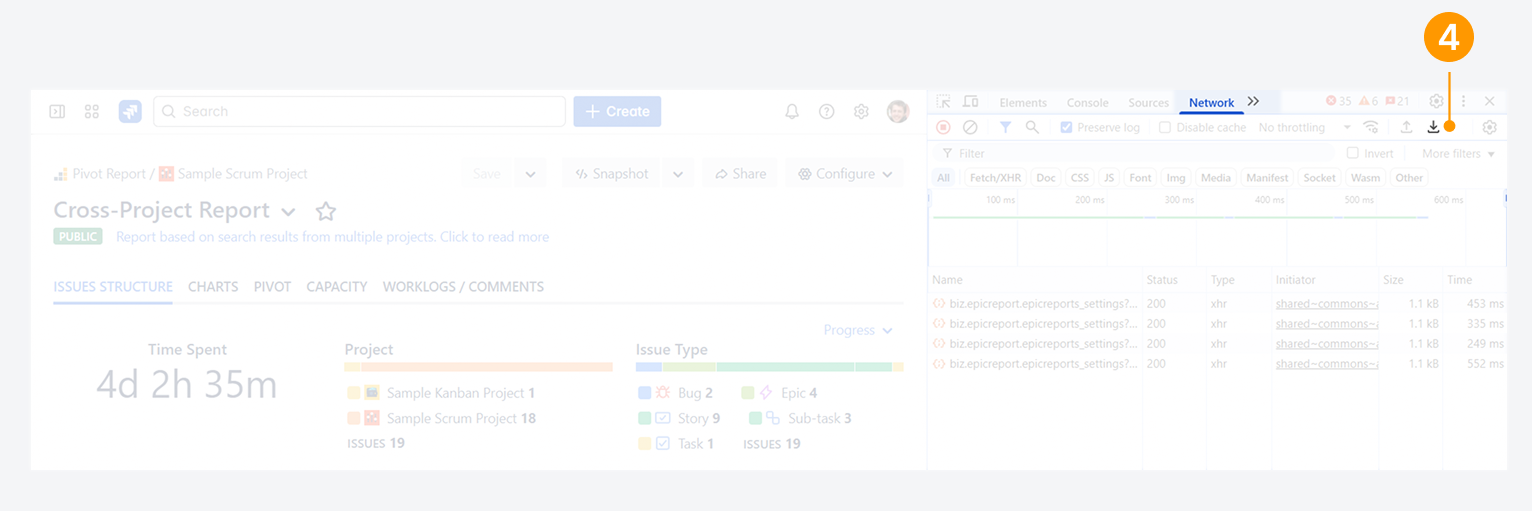
Reload the page with the issue, wait until it has finished loading, and reproduce the error by interacting with the report as you normally would. Once you have reproduced the error, select the download icon Export HAR (sanitized).
-
Send the saved HAR file to Colined support along with a detailed description of the error you are facing.
-
You can either send it to support@colined.com or by opening a support ticket through the Service Desk.
-
Should the file exceed the maximum attachment size for an email transmission, please use a Cloud service such as Google Drive or Dropbox, upload the file, and share the link in the correspondence.
-
By following these steps and providing the HAR file to Colined support, you can help them investigate and resolve any atypical errors with the report.
Steps for other browsers
Atlassian provides instructions for generating a HAR file for other supported web browsers such as as Microsoft Edge.
Can Colined help you generate a HAR file?
Yes, we can provide assistance in generating a HAR file.
If you have questions or need assistance, contact our support team via email or service desk. Our team is available Monday through Friday (9:00 AM to 7:00 PM GMT+7) to help with technical challenges or discuss improvements.