
This article explains how to confirm if you have lost access to Pivot Report or and how to restore it.
Can you lose access to the app?
Yes. You can lose access to Pivot Report, as shown in the screenshot below. The error message appears when you try to open the URL of a report after losing access to the app.
-20250812-025158.png?cb=603108fff0c665bf907bf38c0306a11c)
In this case, the entire page where the report should appear will remain blank, regardless if the error message is displayed or not.
How can you verify access to Pivot Report?
By default, after the app is installed, it is visible to all users and groups in your Jira instance. However, access can be restricted to specific users or groups.
Open the Apps list from Jira’s sidebar, and verify if Pivot Reports appears.
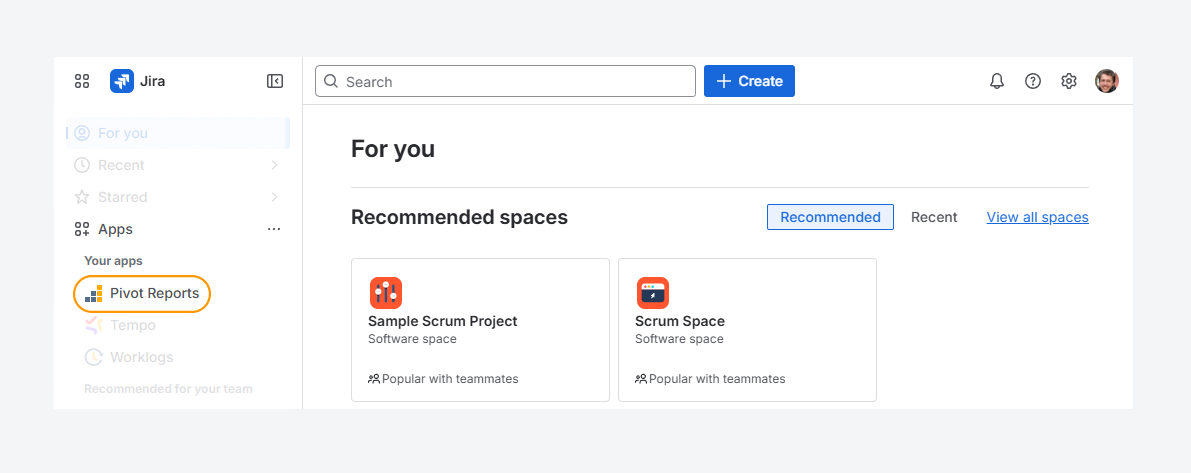
If Pivot Reports is missing from the Apps list, you don’t have permission to use the report features.
How can you restore access to the app?
If you've confirmed that you can’t access Pivot Report, follow these steps to restore access. You must either have Jira admin rights or ask someone who does to complete the process.
-
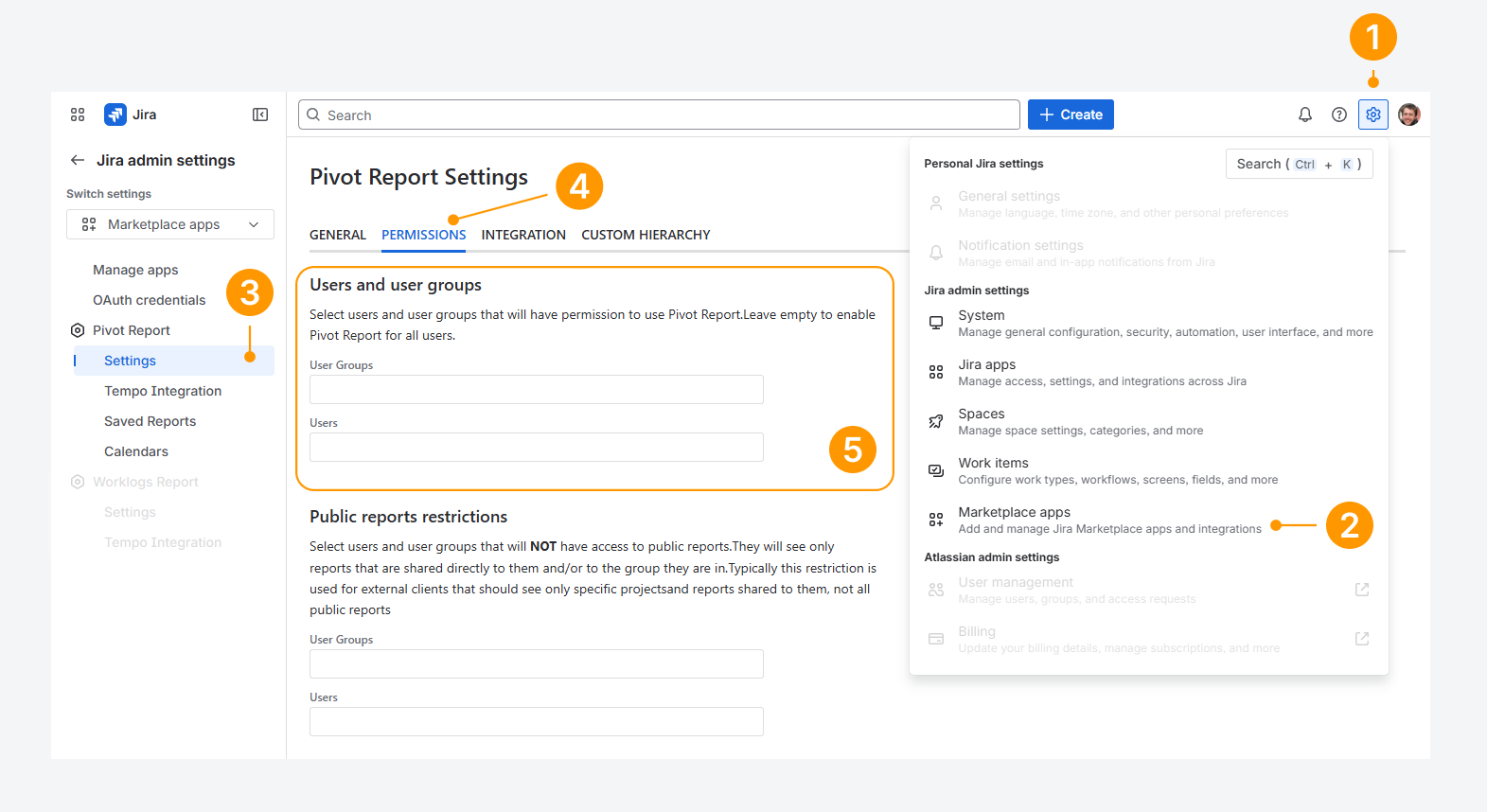
Open the Settings menu in Jira’s top navigation bar, by clicking on the gear icon.
-
From the dropdown, choose Marketplace apps.
-
Within the Apps settings page, click on Settings from the list of Pivot Report configuration options.
-
On the Pivot Report Settings page, select the Permissions tab.
-
Navigate to the Users and user groups section.
-
Review the current entries in the Users and User Groups fields. To remove a user or group, click the X icon next to their name. This restores their access to the app.
-
Click inside the Users or User Groups field to open the search prompt. The Users field lists all active users, and the User Groups field shows all available groups in your Jira instance. Any user or group you add will lose access to Pivot Report.
-
Use the search box or select from recent results to add a user or group.
Alternatively, leave the fields empty if all User Groups and Users should have access to the app.
-20250812-030707.png?cb=30b015294832b08e2355d535220f85cc)
If you have questions or need assistance, contact our support team via email or service desk. Our team is available Monday through Friday (9:00 AM to 7:00 PM GMT+7) to help with technical challenges or discuss improvements.